

Products
Solutions- MFA for Exchange Emails
- MFA for Office 365 Emails
- MFA for AD-Joined Computer Login
- MFA for Entra-Joined Computer Login
- MFA for Entra ID (External MFA)
- MFA for VPN
- MFA for Remote Desktop
- MFA for IIS Websites
- MFA for Cloud Services
- MFA for Office 365
- MFA for NetMotion Mobility
- MFA for Parallels RAS
- Electronic Visit Verification

Authenticators
SaaS
Services
Compliance
Resources
Tools
MFA for Outlook Anywhere

Outlook Anywhere is a feature in Outlook/Exchange that allows end users with Oulook desktop clients to access on-premise Exchange servers over the Internet from outside the corporate domain via HTTPS. It gives end users a reliable, efficient way to access their Exchange services without the need to log into a virtual private network (VPN).
DualShield MFA for Outlook Anywhere adds two-factor authentication to the Outlook/Exchange logon process. It is the only multi-factor authentication product in the market today that can secure Outlook Anywhere with two-factor authentication.


DualShield MFA for Outlook Anywhere can be deployed in 2 ways, Device Based and Agent Based, depending on the requirements of security, usability and the authentication methods.
Device Based
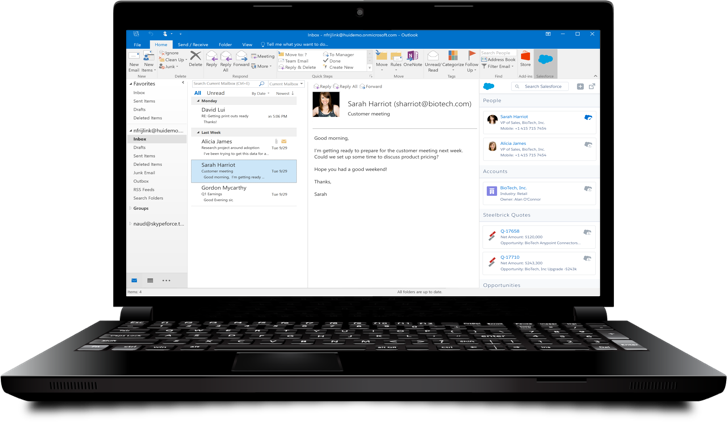
In the device based deployment, the user's device is used as the 2nd factor. Every device can be identified and verified by its unique device ID or device fingerprint. Using device based MFA, Outlook users do not need to install any additional software on their PCs or workstations. Therefore, device based MFA solution is zero footprint, easy to implement, deploy and maintain.
When users attempt to access the on-premise Exchange server using the Outlook client on a PC, two-factor authentication will take place. The first factor is the user's AD password, and the second factor is the user's machine fingerprint. In other words, both the user and the machine will be verified. Therefore, not only is it a zero-footprint MFA solution, it is also a very secure MFA solution for Outlook Anywhere.
Using machine fingerprint as the 2nd factor ensures that only machines registered by the user and approved by the user's organisation are allowed to access the on-premise Exchange server. Once a machine is registered and approved, the machine fingerprint verification process is automatic and hidden from the user. It is a two-factor authentication process that does not require user intervention. Therefore, not only is it a secure MFA solution, it is also a very user-friendly MFA solution for Outlook Anywhere.
Agent Based
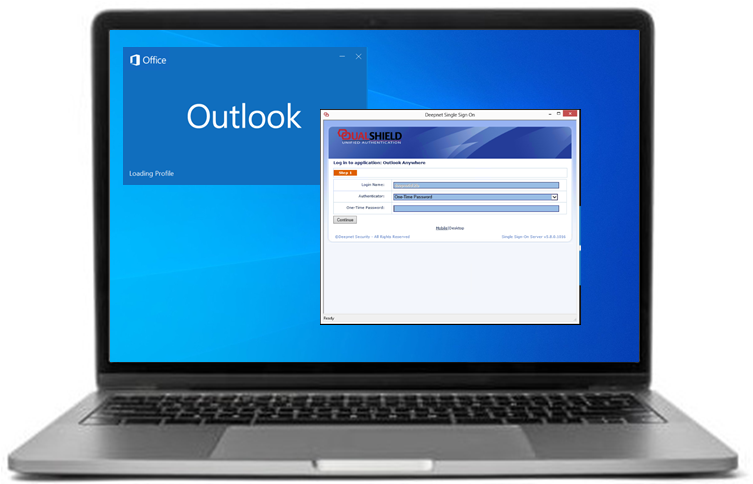
If you need to verify users by credentials or factors other than the machine fingerprint, then you can implement the "Agent Based" solution.
In the Agent Based deployment, Outlook users are required to install an Outlook MFA add-on module on their PCs. When users attempt to access the on-premise Exchange server using the Outlook client on a PC, a two-factor authentication window will be prompted, and users will be able to select the authentication factor and submit their credentials to be verified.
The Outlook MFA add-on enables Outlook to use all of authentication methods supported by the DualShield MFA platform such as one-time password by hard and soft tokens, SMS code, mobile push authentication etc.
